macOS Menu Bar App
DeployNeon
One click deploys from your menu bar. A native macOS menu bar app for Laravel Forge that lets you deploy sites, view live logs, and manage servers without leaving your workflow.
One click deploys from your menu bar. A native macOS menu bar app for Laravel Forge that lets you deploy sites, view live logs, and manage servers without leaving your workflow.
Features
Everything you need to manage Laravel Forge deployments, accessible from your macOS menu bar.
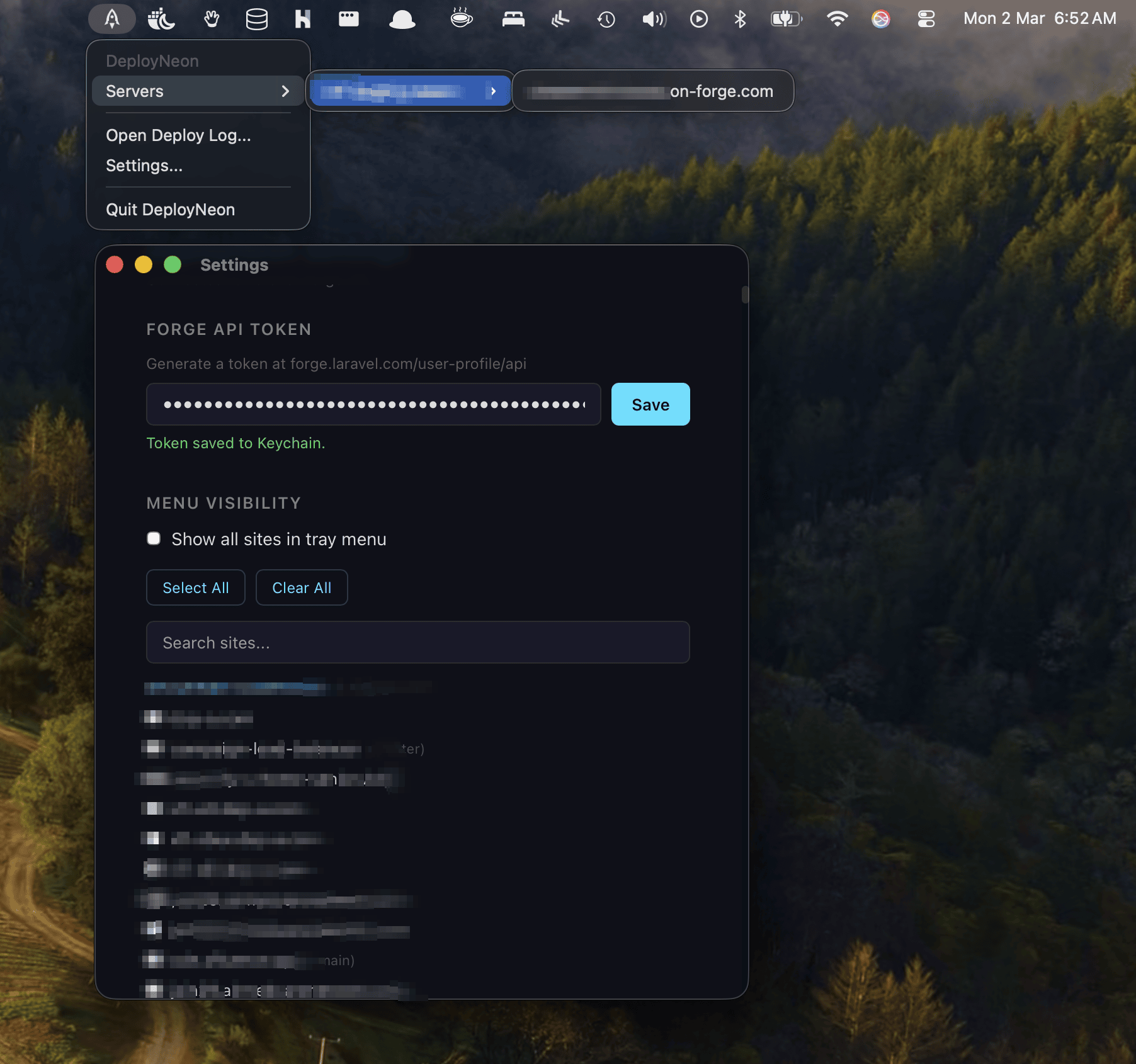
Lives in your macOS menu bar. Click to see all your servers and sites in a hierarchical dropdown. No windows to manage, no browser tabs to keep open.
Select a site, confirm, deploy. Triggers a deployment on Laravel Forge instantly. No need to open the Forge dashboard or run SSH commands.
Watch deployment output stream in real time. See git pulls, dependency installs, migrations, and service restarts as they happen. Clear success/failure status.
Connects directly to the Laravel Forge API. Fetches your servers and sites automatically. Just paste your API token and you're ready to deploy.
Your Forge API token is stored in the macOS Keychain, not in plain text config files. Native OS-level security for your credentials.
Choose which sites appear in your menu bar. Show all, or pick specific ones per server. Search and filter to find sites quickly across multiple servers.
Setup
Download, paste your Forge API token, and start deploying.
Download the .dmg, drag to Applications. DeployNeon appears in your menu bar.
Open Settings, paste your Forge API token. Your servers and sites load automatically.
Click a site in the menu, confirm, and watch the deployment log stream in real time.
Download
Available for macOS, Windows, and Linux. Lightweight, fast, and built with Rust.
We build deployment pipelines, server management dashboards, and custom DevOps tools for teams of all sizes.