Desktop App
InboxNeon
Local email testing & debugging desktop app. Capture, inspect, and debug outgoing emails without sending them to real recipients.
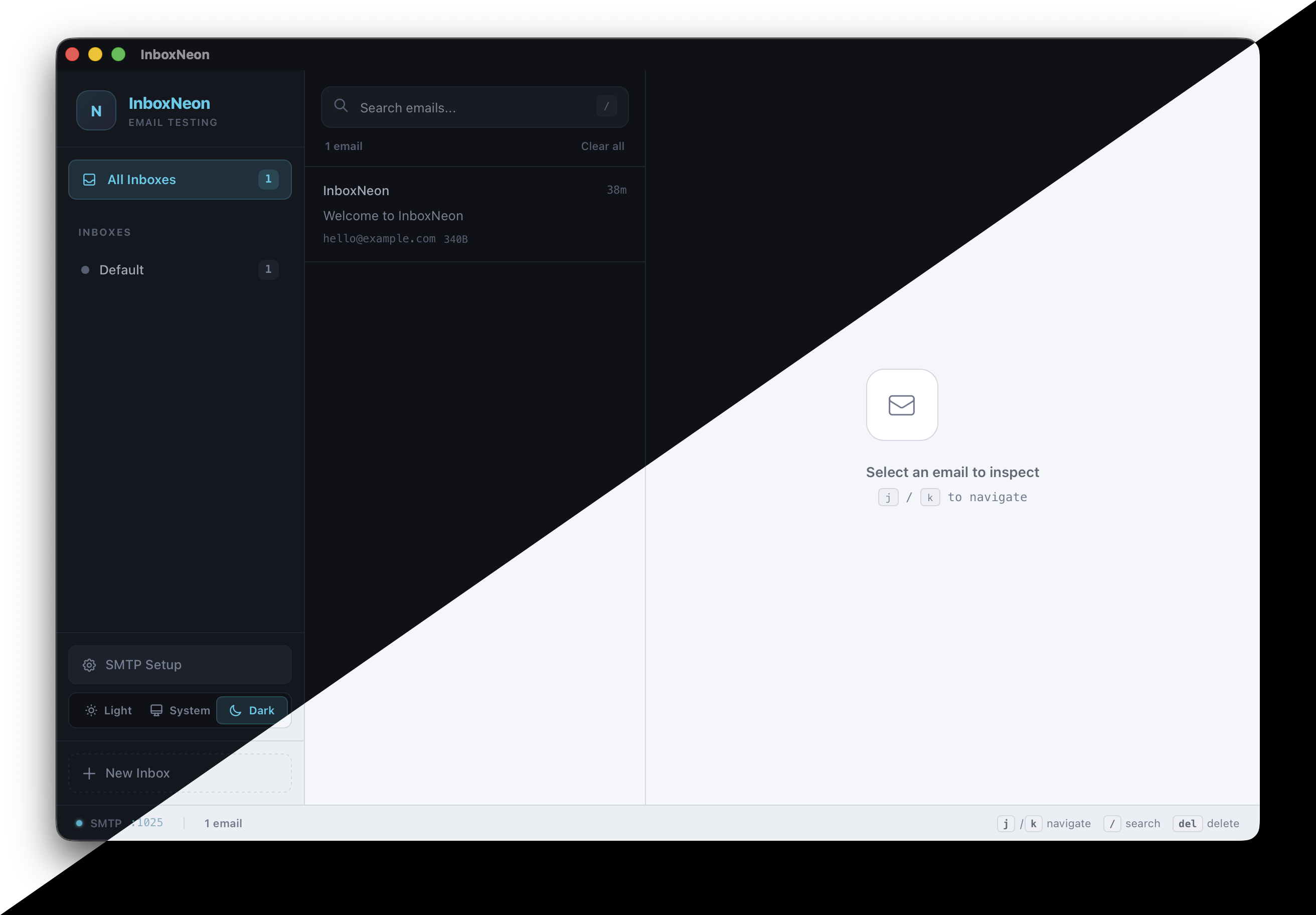
Local email testing & debugging desktop app. Capture, inspect, and debug outgoing emails without sending them to real recipients.
Features
A complete local email testing toolkit in a single native desktop app.
Built-in SMTP server on port 1025. Point any framework at 127.0.0.1:1025 and emails appear instantly. Configurable host and port via settings.
Switch between rendered HTML preview, plain text view, headers inspection, and raw MIME source. See exactly what your recipients would see.
Automatically extracts and validates every link in your email. Catch broken URLs, redirects, and unreachable endpoints before they reach users.
Built-in spam scoring powered by SpamAssassin-style rules. Get a deliverability score and actionable suggestions to avoid spam folders.
Create separate inboxes with pattern matching to organize emails by project, sender, or recipient. Keep different test scenarios isolated.
Built with Tauri 2 and Rust for a fast, lightweight native experience. Available for macOS (Apple Silicon & Intel) and Linux. Windows coming soon.
Setup Guide
Point your app's SMTP config at 127.0.0.1:1025 and you're done. Copy the snippet for your stack.
MAIL_MAILER=smtp
MAIL_HOST=127.0.0.1
MAIL_PORT=1025
MAIL_USERNAME=null
MAIL_PASSWORD=null
MAIL_ENCRYPTION=null
MAIL_FROM_ADDRESS="[email protected]"
MAIL_FROM_NAME="${APP_NAME}"
# config/environments/development.rb
config.action_mailer.delivery_method = :smtp
config.action_mailer.smtp_settings = {
  address: "127.0.0.1",
  port: 1025
}
# settings.py
EMAIL_BACKEND = "django.core.mail.backends.smtp.EmailBackend"
EMAIL_HOST = "127.0.0.1"
EMAIL_PORT = 1025
EMAIL_USE_TLS = False
const transporter = nodemailer.createTransport({
  host: "127.0.0.1",
  port: 1025,
  secure: false,
});
SMTP_HOST=127.0.0.1
SMTP_PORT=1025
SMTP_USER=
SMTP_PASS=
# application.properties
spring.mail.host=127.0.0.1
spring.mail.port=1025
spring.mail.properties.mail.smtp.auth=false
spring.mail.properties.mail.smtp.starttls.enable=false
import "net/smtp"

func sendMail() error {
    addr := "127.0.0.1:1025"
    return smtp.SendMail(addr, nil,
        "[email protected]",
        []string{"[email protected]"},
        []byte("Subject: Test\r\n\r\nHello!"),
    )
}
<?php
$transport = (new Swift_SmtpTransport("127.0.0.1", 1025));
$mailer = new Swift_Mailer($transport);
Download
Free to download. Pick the right build for your platform.
We build transactional email systems, delivery pipelines, and custom SMTP solutions for startups and enterprises.