Desktop App
Lumion
Cross-platform drag & drop image optimizer. Compress, convert, and resize images in batch — all without external dependencies.
Cross-platform drag & drop image optimizer. Compress, convert, and resize images in batch — all without external dependencies.
Features
A complete image optimization toolkit in a single native desktop app. No cloud uploads, no CLI tools, no subscriptions.
Drop files or entire folders onto the app. Automatically scans for supported image formats and builds your optimization queue instantly.
Process hundreds of images simultaneously using multi-core parallelism powered by Rust's rayon. Cancel anytime without losing completed work.
Convert between JPEG, PNG, and WebP. Keep the original format or batch-convert everything to a modern web-friendly format with one click.
Fit within maximum dimensions or resize to exact sizes. Uses Lanczos3 resampling for sharp, high-quality downscaled results without upscaling small images.
Lossless PNG compression powered by oxipng with three optimization levels. Reduce PNG file sizes by 20-70% without losing a single pixel of quality.
Built with Tauri 2 and Rust for a fast, lightweight native experience. No external dependencies like ImageMagick required. Runs on macOS, Windows, and Linux.
How It Works
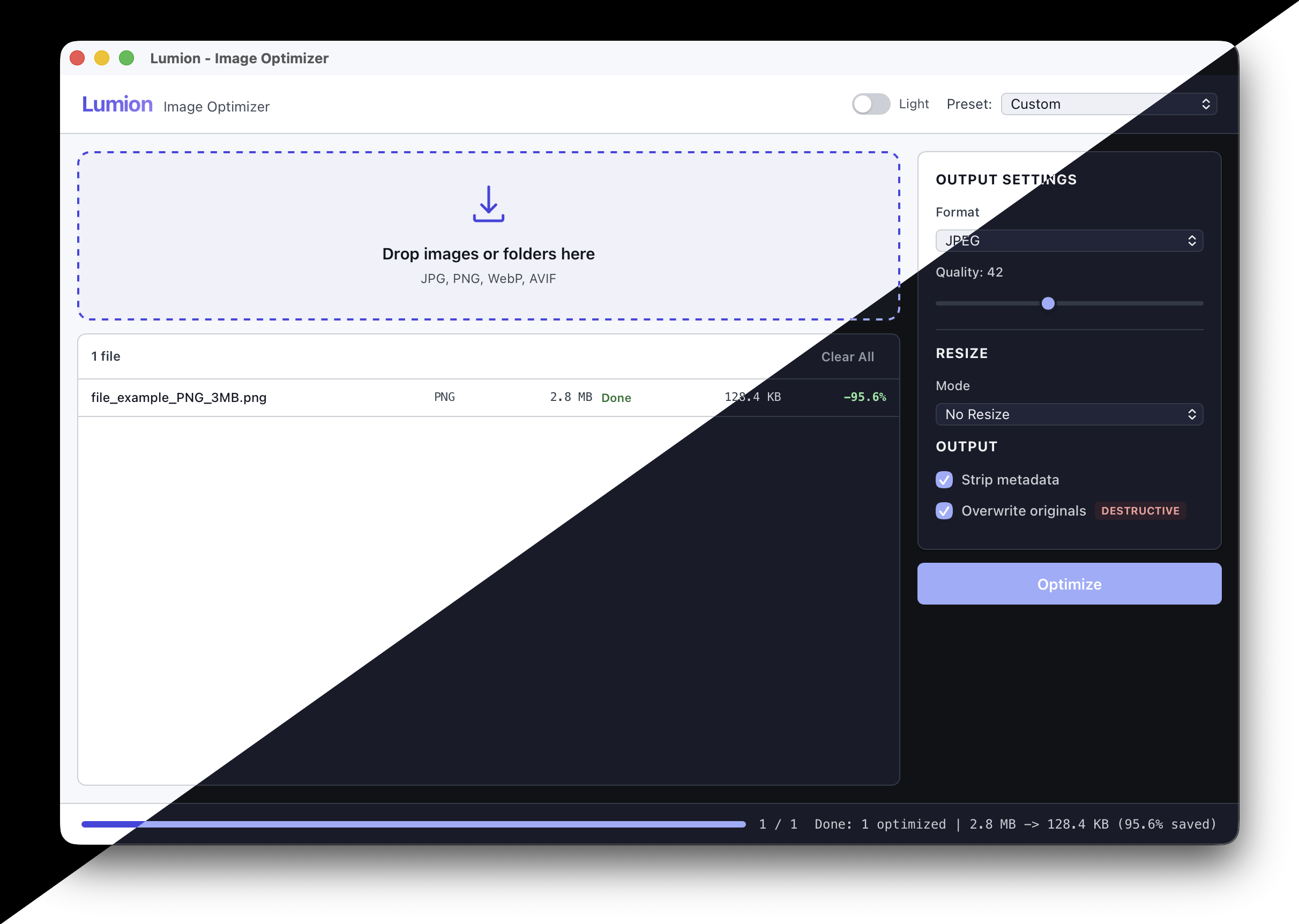
Drag files or folders onto the app. Lumion scans for JPG, PNG, WebP, and AVIF images and shows you file sizes, dimensions, and formats.
Choose a preset (Web, Email, Archive) or fine-tune quality, format, resize, and PNG optimization. Toggle metadata stripping and overwrite options.
Hit Optimize and watch real-time progress. See before/after sizes and total savings. Open the output folder directly from the app.
WebP, quality 80, max 1920px
JPEG, quality 75, max 1600px
Keep format, max PNG opt, no resize
Download
Free to download. Pick the right build for your platform.
We build image pipelines, CDN optimization layers, and custom media processing tools for startups and enterprises.