
Desktop App
PixelArgon
A fast, minimal desktop app for cropping, editing, and redacting images. Precise crop controls, privacy pixelation, and background removal — all processed locally.
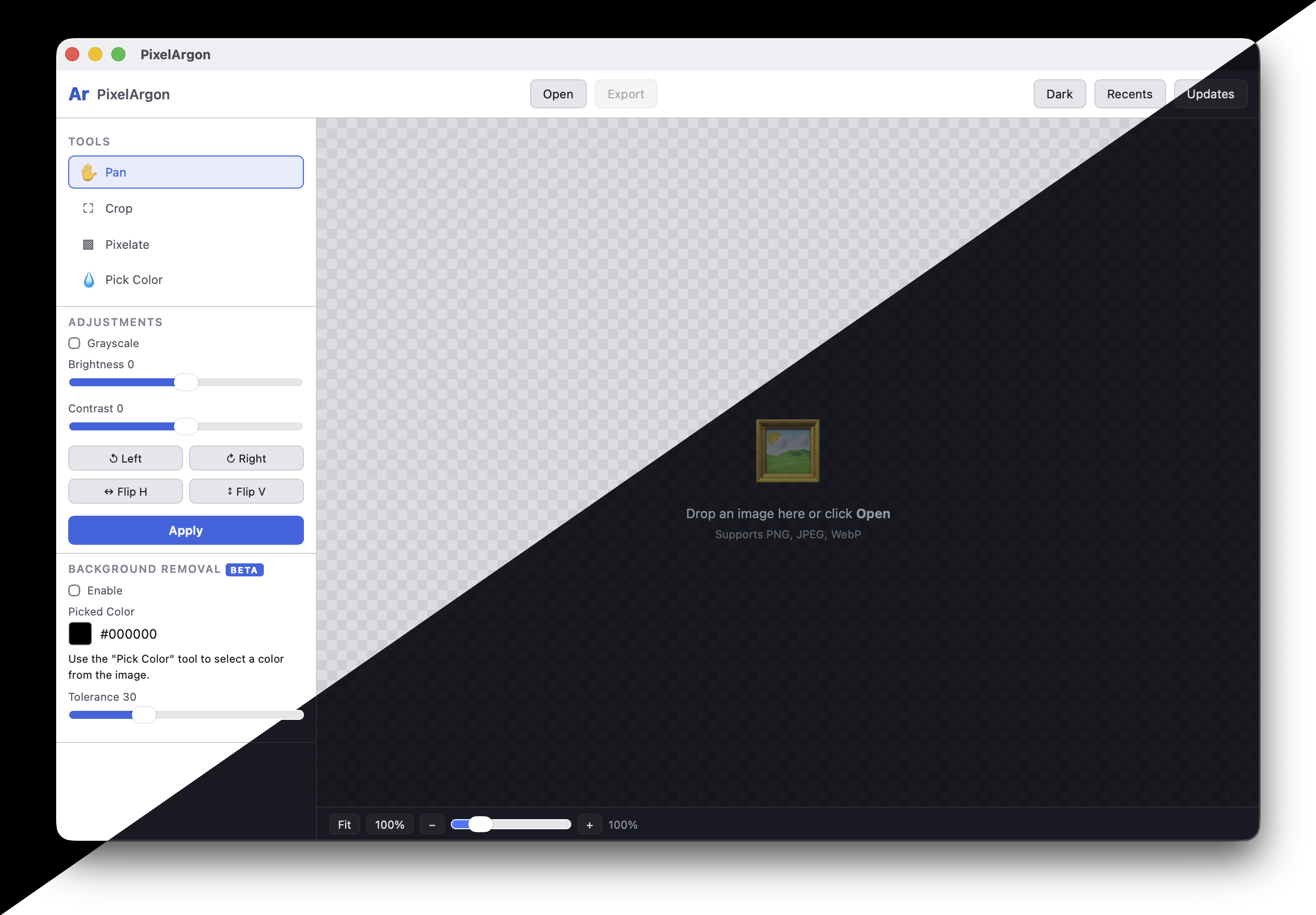
A fast, minimal desktop app for cropping, editing, and redacting images. Precise crop controls, privacy pixelation, and background removal — all processed locally.
Features
A focused image editing toolkit in a single native desktop app. No cloud uploads, no subscriptions, no bloat.
Resizable crop rectangle with drag handles. Lock aspect ratio with presets (1:1, 4:5, 16:9, 9:16, 3:2) or enter custom dimensions for exact output sizes.
Brightness and contrast sliders, grayscale toggle, rotate 90° in either direction, and flip horizontally or vertically. Live preview on canvas.
Paint over sensitive areas with a pixelate brush. Adjustable brush and block size. Non-destructive strokes with full undo/redo support.
Pick any color from the image with the eyedropper tool and remove it with adjustable tolerance. Chroma key removal exports with transparent backgrounds.
Export as PNG or JPEG with quality control. Output at exact target dimensions with "scale then crop" or "crop then scale" modes for pixel-perfect results.
Built with Tauri 2 and Rust for a fast, lightweight experience. All image processing happens locally on your machine. Light and dark mode included.
How It Works
Open any PNG, JPEG, or WebP image using the file picker or drag & drop it onto the window. The image loads instantly on an interactive canvas with zoom and pan.
Set your crop area with aspect ratio presets, adjust brightness and contrast, rotate or flip, and pixelate sensitive areas. Click Apply to bake edits and layer more on top.
Choose your output format and quality, then export at the exact dimensions you need. The Rust processing pipeline ensures pixel-accurate results matching your preview.
Crop to 1:1, 4:5, 16:9 presets
Pixelate faces, text, or sensitive data
Remove backgrounds, precise sizing
Download
Free to download. Available for macOS, Windows, and Linux.
We build image pipelines, media processing tools, and custom editing solutions for startups and enterprises.