
Desktop App
Menu Bar
SnapLine
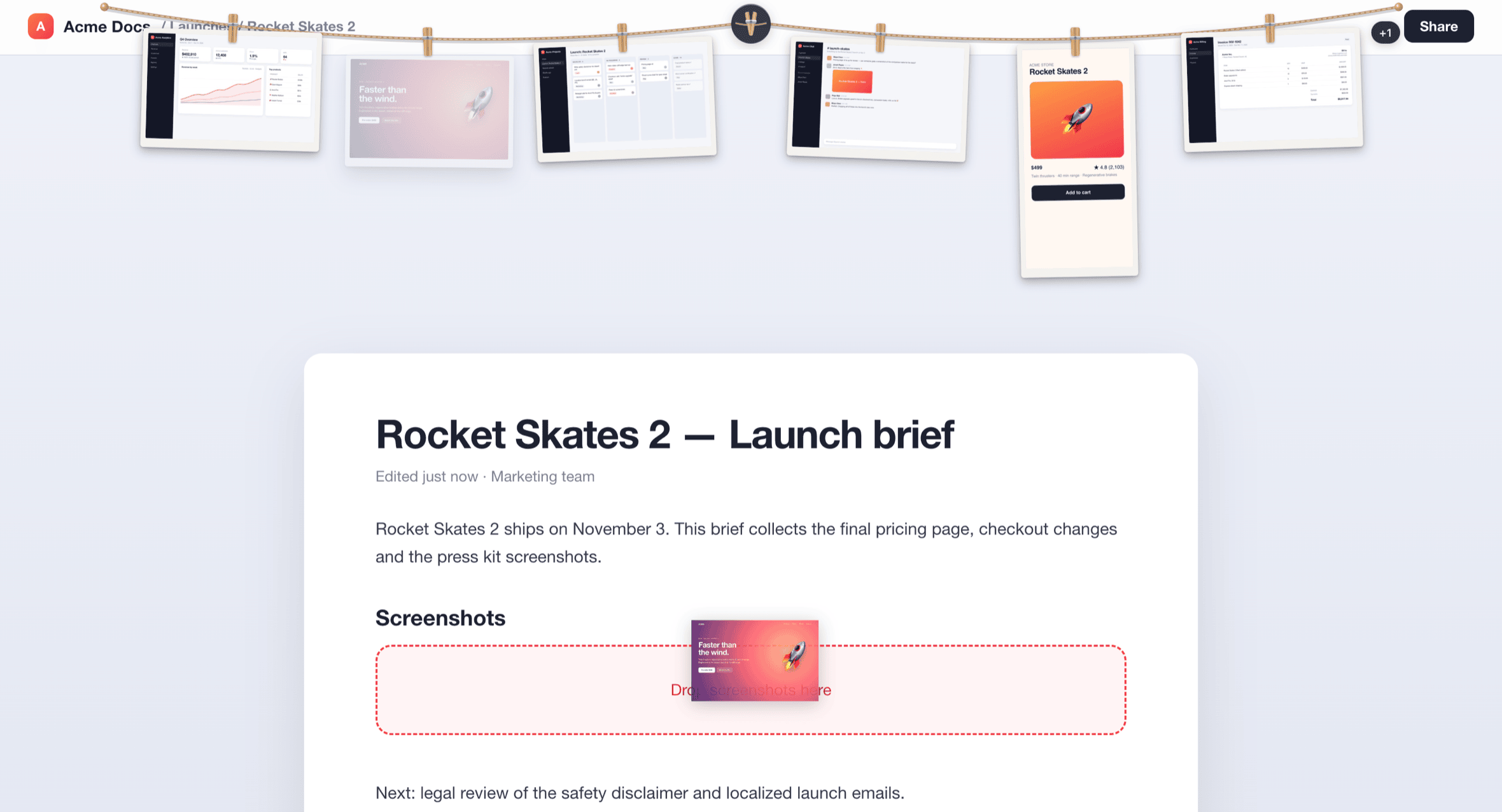
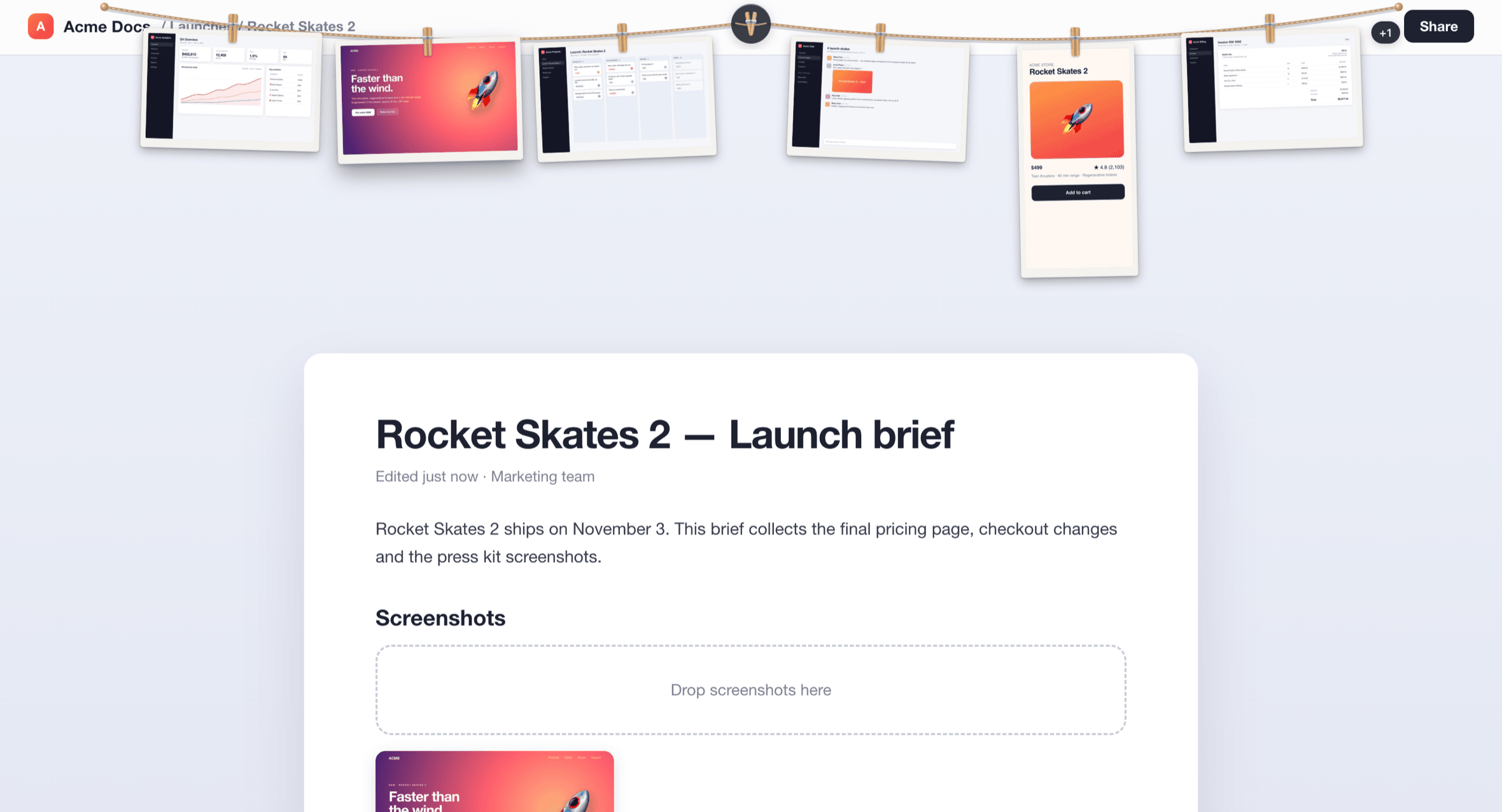
Your screenshots, hanging right where you need them. Every capture is pinned to a clothesline at the top of your screen — drag one into another app and the original file goes with it.

Your screenshots, hanging right where you need them. Every capture is pinned to a clothesline at the top of your screen — drag one into another app and the original file goes with it.
Features
You took the screenshot to share it. SnapLine keeps your latest captures one drag away, without another window to manage.
SnapLine follows the folder macOS saves screenshots to and hangs each new capture on the line as soon as the file is written. Screenshot names in about 40 languages are recognised, plus your own filename prefixes for third-party tools.
Pick a photo off the line and drop it into Finder, a browser upload or a document. The real file goes with it, with its name, size and metadata intact — no re-encoded thumbnails, no temporary copies.
Collapsed, SnapLine is a small reel at the top centre of your screen. Unfurl it with a click or ⌃⌥S; the empty space around the rope stays click-through to the app underneath.
The line works on every Space and above full-screen apps, and it never steals focus from what you’re doing. Pick the primary display, the one with your pointer, or a specific screen.
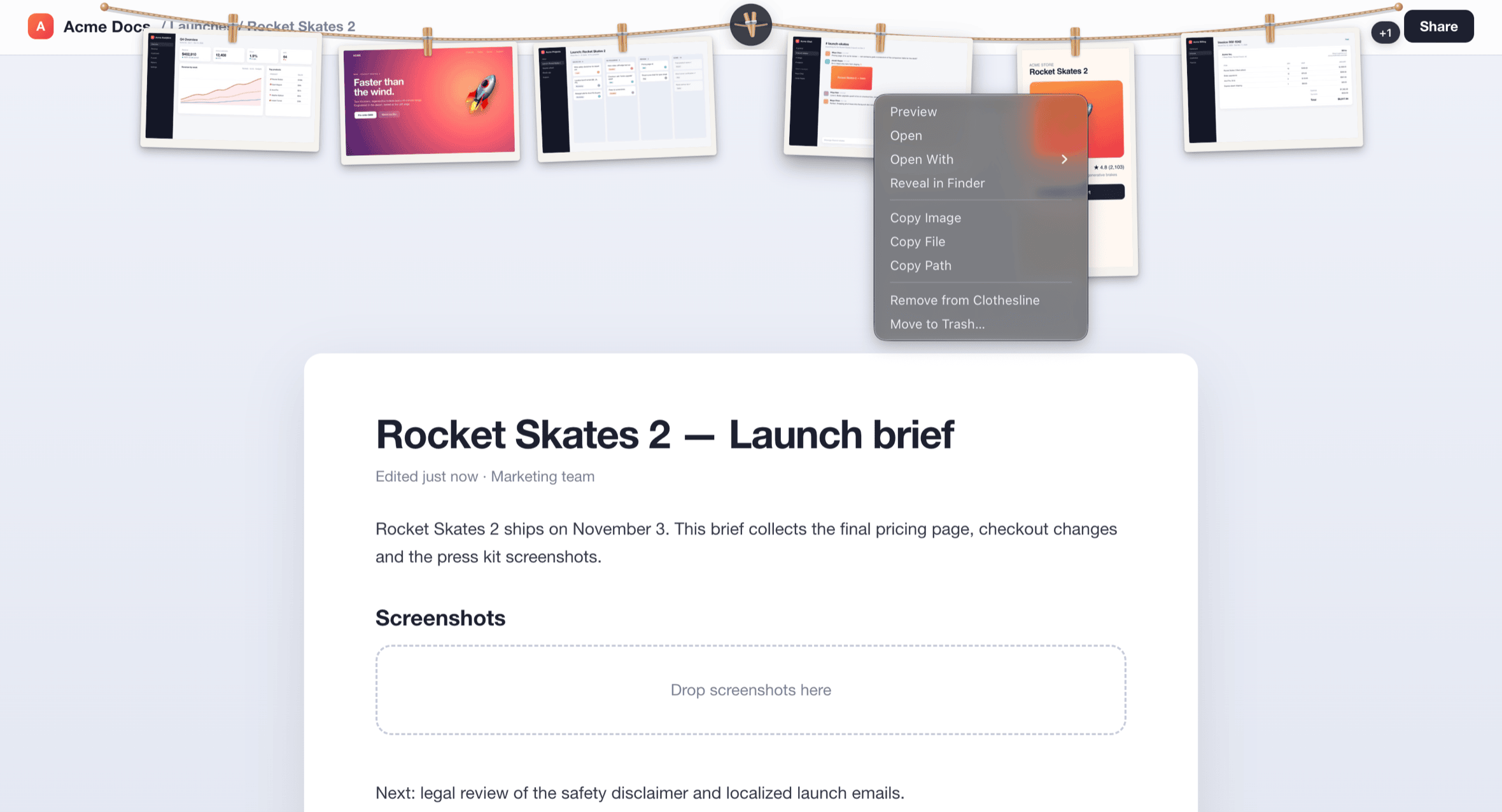
Click to preview and step through your shots. Right-click to copy the image, file or path, reveal in Finder, open with another app, remove from the line, or move to the Trash after a confirmation.
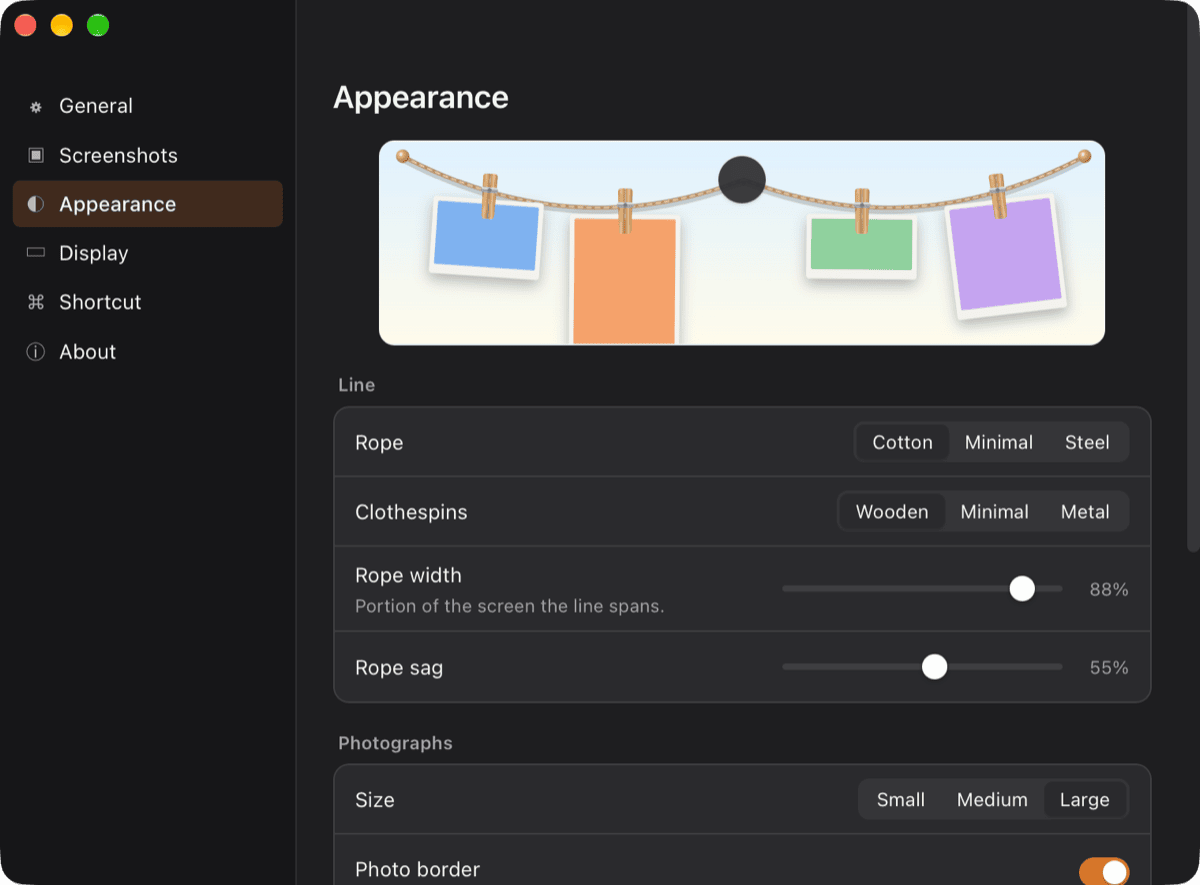
Cotton, minimal or steel rope; wooden, minimal or metal clothespins; photo size, border, shadow, sag and how lively the swing is. Swinging switches off automatically when Reduce Motion is on.
No account and no analytics. Your screenshots never leave your Mac, and SnapLine doesn’t need Screen Recording permission. Its only network request is a daily update check, which you can turn off.
A native menu bar app built with Tauri and Rust. It watches the folder with FSEvents instead of polling, and nothing animates while it’s idle, so it sits at about 0% CPU.
SnapLine checks for new versions once a day and asks before installing. Every update is signed, and verified before it replaces the app.
Built with Tauri and Rust for macOS 14+ (Apple Silicon). Signed and notarized.
Screenshots
Captured from the released app. The screenshots on the line are made-up Acme sample content.

Getting Started
Open the DMG and drag SnapLine to Applications. It lives in the menu bar, not the Dock.
macOS saves screenshots to the Desktop by default. When macOS asks whether SnapLine may access that folder, click Allow.
Use ⌘⇧4 or your usual shortcut. The reel’s badge counts up when the file lands.
Click the reel at the top of your screen or press ⌃⌥S.
Drop a photo into a Finder window, a web upload or a document. Press Esc mid-drag and it flies back to the line.
Download
Free to download. Signed and notarized for macOS, with built-in updates.
We design and build desktop apps, internal tools and developer tooling for startups and enterprises.