Desktop App
MySQL Pipe
Refresh your local MySQL from the latest S3 backup, in one click. MySQL Pipe finds the newest dump in your bucket, downloads it, wipes your local database, and imports it — with live progress all the way.
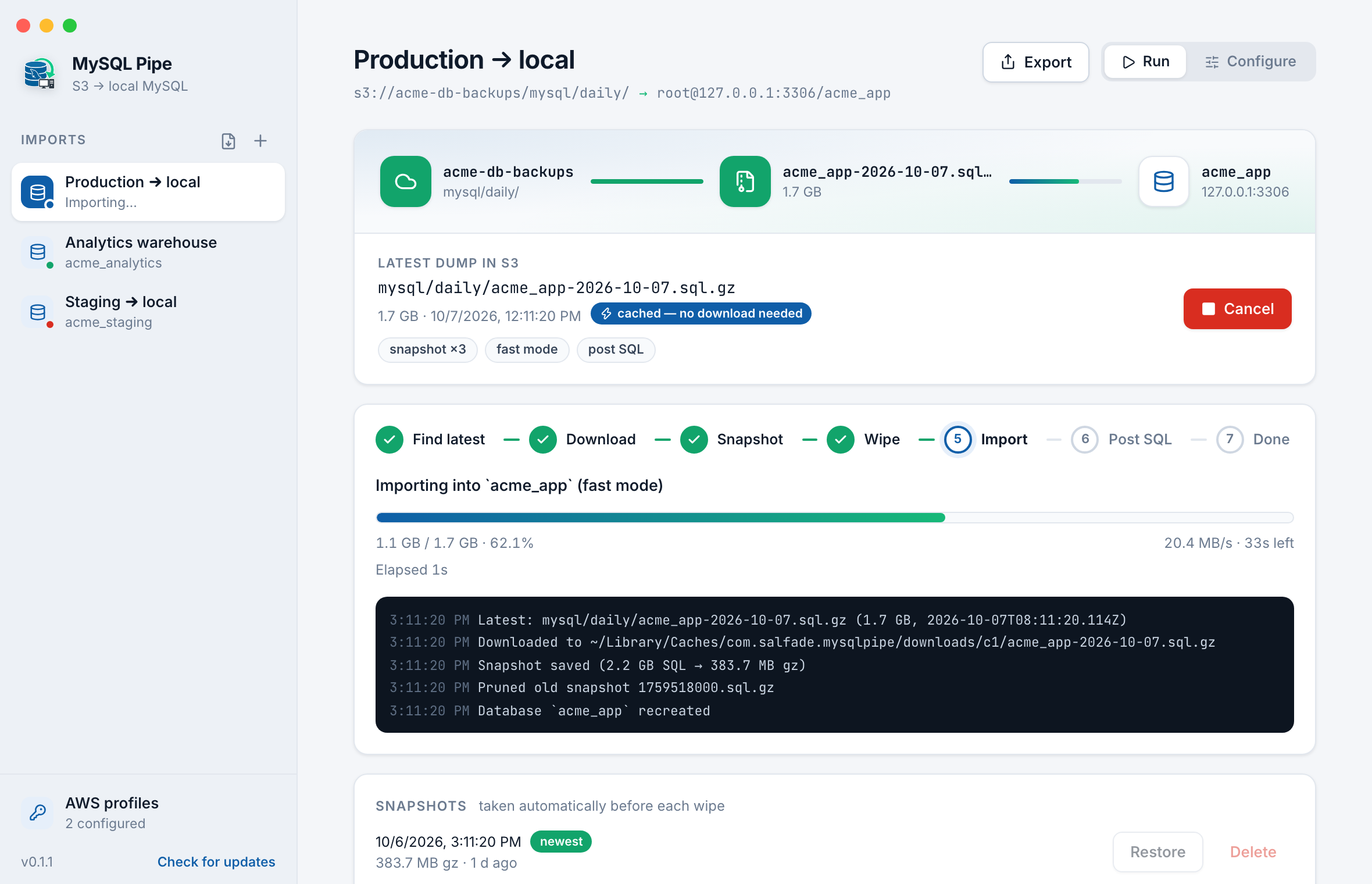
Refresh your local MySQL from the latest S3 backup, in one click. MySQL Pipe finds the newest dump in your bucket, downloads it, wipes your local database, and imports it — with live progress all the way.
Features
Everything you need to keep your local MySQL in sync with your latest backups — in a single native desktop app.
Use your ~/.aws named profiles (SSO and assume-role included) or plain access keys. Secrets are stored in the macOS Keychain.
Pick your bucket and folder without leaving the app. MySQL Pipe finds the newest .zip, .gz or .sql dump for you.
Choose the database straight from your MySQL server. The mysql client is auto-detected from Homebrew, DBngin, Herd and more.
Watch the download and import in real time with speed and ETA. Cancel at any point.
A mysqldump snapshot is taken before every wipe, so you can restore your previous database in one click.
Skips re-downloading when the S3 file hasn't changed (ETag match), so repeat refreshes go straight to the import.
Disables foreign key and unique checks plus autocommit during the load for much quicker imports of large dumps.
Run SQL after every import to scrub production data — anonymize emails, reset passwords, or truncate tables.
Export and import your setup to share with teammates. Credentials are never included.
Built with Tauri for macOS (Apple Silicon). Signed, notarized, and auto-updating.
Download
Free to download. Signed and notarized for macOS, with automatic updates.
We build database pipelines, backup automation, and internal developer tools for startups and enterprises.